hotel lobby ai video vs viggle
Hotel Lobby AI Video vs Viggle AI: Two-Photo Duo Video Compared
Two photos and a template, or a character and a motion clip. Here is the real difference.
Hotel Lobby AI Video is built around two still photos and a preset template, with a flat 80-credit cost per video. Viggle AI is a broader platform: its public render API pairs a character image with a motion video or a saved motion, and its pricing page sells a free plan with 5 videos a day and multi-character sessions on paid plans. Choose Viggle for a free daily allowance or your own motion clip; choose Hotel Lobby AI Video for a fixed two-photo studio duo with no prompt and no driving clip.
Reviewed against the live product on 2026-10-22. The generator offers 480p or 720p, one photo per performer, and a template-set length.
Hotel Lobby AI Video and Viggle AI both turn an image into a moving clip, but they are not built the same way and they do not ask you for the same inputs. That difference matters more than any feature label, because it decides how much work you do before you see a result.
The comparison below uses each vendor's own pages, checked on 2026-10-22: Viggle's pricing page and its public API reference, plus this site's pricing and how-to pages. Where a vendor does not publish a detail, this page says so instead of guessing.
One note on scope: the two products belong to separate companies. This page is an independent comparison and is not endorsed by Viggle AI.
Make your video here
Choose one photo per performer, preview them and swap positions. Generation requires sign-in and uses your account credits. Use photos you have permission to upload.
Choose your performers
Clear front-facing photos work best — one person per image, no covered faces.
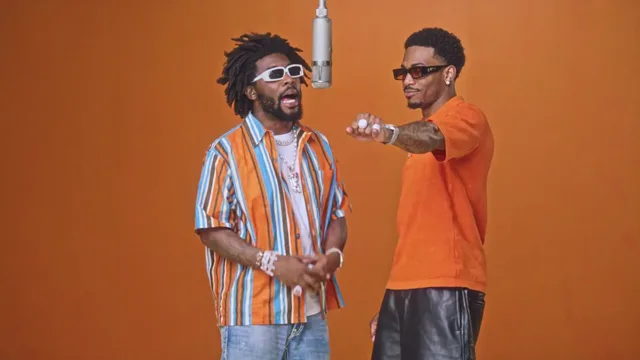
Two people performing a short studio duet, recast with your two photos.
Each generation uses credits from your balance.
Sign in to generate videos.
Signing in keeps selected photos in this browser for your return. The draft expires after 20 minutes and is removed on return or the next visit after expiry.
Template preview — your two photos replace these performers.
Preview and change the motion template
Classic Duo
Two people performing a short studio duet, recast with your two photos.
High Energy Duo
A faster, more upbeat two-person studio performance.
Soft Groove Duo
A slower, relaxed two-person studio groove.
Still to Motion
A still portrait brought into gentle motion.
Minimal Motion
Subtle movement with a minimal set and camera.
Kangaroo Boxer
A single boxing-kangaroo motion source from your provided material.
Duo Conversation
Two performers facing each other in a dialogue scene.
Cinematic Duo
A wider, more cinematic two-person framing.
Tools used in this guide
The short answer
If you already have two still photos and no video, Hotel Lobby AI Video asks for exactly that: one photo per performer plus a preset template. There is no prompt to write and no driving clip to record. The scene, camera movement and clip length come from the template.
Viggle AI is a broader creative platform. Its public render API accepts a character input and a motion input, where the motion is a motion video or a saved motion. Its pricing page also meters video upload length and sells multi-character sessions, which shows the app handles more than a single still image.
So the practical split is this: Viggle is the stronger choice if you want a free daily allowance or you already have a motion clip you want to reuse. Hotel Lobby AI Video is the narrower choice for a fixed two-photo studio duo, with a per-video credit cost you can calculate up front.
What you upload: two photos versus a character plus motion
Hotel Lobby AI Video takes two images, one per performer. Each photo should show a single clear subject, front-facing and evenly lit. You can swap which photo fills the left and right slots before generating. Accepted files are JPG, PNG and WebP up to 10 MB each, and there is no text prompt field to fill in.
Viggle's public API documentation describes a different contract. A render takes a character (a character ID, an image file, or an image URL) and a motion (a motion ID, a motion video file, or a motion video URL). In other words, the motion has to come from somewhere: either a clip you supply or a saved motion you reuse.
That is the clearest product difference on this page. Hotel Lobby AI Video supplies the motion for you through its templates; Viggle expects motion as an input, alongside the character image.
- Hotel Lobby AI Video: two still photos, one per performer, plus a preset template.
- Viggle AI API: one character image plus a motion video or saved motion.
- Hotel Lobby AI Video: no prompt and no driving clip.
- Viggle AI: motion length is metered by your plan's maximum video upload.
The free tier: five videos a day versus a one-time pack
Viggle publishes a free plan. Its pricing table lists 5 free videos per day, 1 simultaneous generation, limited multi-character sessions, 7-day asset storage, a 1-minute maximum video upload, and watermark removal as a paid-plan feature. The free plan carries 0 monthly credits; the paid plans start at Pro, listed at $9.99 per month on monthly billing or $7.99 per month on yearly billing, with 80 monthly credits.
Hotel Lobby AI Video does not offer free credits. A new account starts at 0 credits and you buy a pack to generate. The entry pack is a one-time $4.90 purchase for 600 credits, and one video costs 80 credits at either 480p or 720p, so that pack covers 7 videos. There is no subscription required to use it.
If trying the tool at zero cost is your priority, Viggle's free plan is the obvious starting point. If you would rather pay once for a known number of videos without a recurring plan, the one-time pack is simpler.
Price per video: one published number versus a credit system
On Hotel Lobby AI Video, the per-video cost is one number: 80 credits, the same for every template and both resolutions. The pricing page states the credit grants for each pack, so 600 credits means 7 videos and 4,000 credits means 50 videos. A failed or cancelled generation returns its credits to your account automatically.
Viggle's pricing page lists monthly credit allowances (80 on Pro, 200 on Live, 800 on Max) but does not state what one credit buys. Its own note says each feature may use a different number of credits depending on the model and output. For API use it publishes a separate rate of $0.01 per character per second of finished video.
Neither approach is dishonest; they answer different questions. One tells you the cost of a specific video before you start. The other gives you a monthly allowance that stretches differently across models and features.
Two people in one shot
Hotel Lobby AI Video is built for pairs. Seven of its eight current templates are two-person scenes — Classic Duo, High Energy Duo, Soft Groove Duo, Still to Motion, Minimal Motion, Duo Conversation and Cinematic Duo — and the eighth, Kangaroo Boxer, is a single-person motion source. Both performers share one scene and one camera, and the Swap control changes which photo takes which side.
Viggle sells multi-character sessions directly: the pricing table lists them as limited on Free and unlimited on Pro, Live and Max. That confirms the consumer app can place more than one character. Its public API reference is narrower and currently states that only one character is supported per render today. Those two statements describe different surfaces, so check which one you plan to use.
Output, storage and downloads
Hotel Lobby AI Video renders a single MP4 that you can preview and download. Available resolutions are 480p and 720p, and each template sets the clip length; the current catalog runs from 10 to 15 seconds. Results are AI-generated and can vary, especially during fast movement or when the two subjects overlap.
Viggle's pricing page advertises permanent asset storage on paid plans versus 7 days on Free, and watermark removal on paid plans. Its pricing page does not describe the output file format or the download flow, so this comparison does not claim one.
Where Viggle AI is the better choice
Viggle is the better fit when a free daily allowance decides the trial: 5 videos per day at no cost is a real advantage over buying a pack first. It is also the better fit when you already have a motion clip you want to reuse, because motion is an explicit input in its workflow.
Its platform is broader as well. The homepage presents Meme Maker, PINOC and Games, and the pricing page meters Real-Time Swap sessions and upload length up to 10 minutes on paid plans. If you want one subscription that covers several kinds of character and motion work, that breadth is the point.
Where Hotel Lobby AI Video is the better choice
Hotel Lobby AI Video is the better fit when the job is exactly two people from two still photos. There is nothing to prompt and no clip to supply: you upload the pair, pick a duo template, choose 480p or 720p, and generate. The template keeps the scene and timing consistent, so reruns with different photos are directly comparable.
It is also easier to budget for a specific clip. One video is 80 credits on every template, packs are one-time purchases, and failed or cancelled runs return their credits. For a pair of portraits and a studio-style scene, that is a shorter path than assembling a character and a motion source separately.
How to test both with the same two photos
Do not compare feature tables; compare outputs from identical inputs. Use the same two photos for each tool, and keep notes on what each one asked you to provide before it would run.
- Upload the same front-facing pair, one subject per photo, to both tools.
- Record whether the tool required a prompt, a motion clip, or nothing beyond the images.
- Compare likeness first, then motion, then artifacts around hands and overlapping faces.
- Check the download: file format, resolution options, and whether the file is yours to keep.
- Note the free-tier limits (watermark, storage, upload length) before judging the paid price.
- Read the failure policy: what happens to your credits if a run fails or is cancelled.
The bottom line
Viggle AI is the broader platform with a genuine free daily allowance, and it is the right pick if you want to bring your own motion clip or need a subscription that covers many kinds of character work. Its public API currently documents one character per render, even though the app sells multi-character sessions.
Hotel Lobby AI Video is deliberately narrower: two photos, a preset duo template, 480p or 720p, 80 credits per video, and no prompt or driving clip. If your input is a pair of portraits and your output is a short studio-style duo, that narrowness removes steps rather than limiting you.
Frequently asked questions
Is Hotel Lobby AI Video the same company as Viggle AI?
No. They are separate products from separate companies. Hotel Lobby AI Video is a two-photo template generator, and Viggle AI is a broader character and motion platform. This comparison is independent and not endorsed by Viggle AI.
Can I use Viggle AI for free?
Viggle's pricing page lists a free plan with 5 videos per day, 1 generation at a time, limited multi-character sessions, 7-day asset storage and a 1-minute maximum video upload. Watermark removal is listed only on paid plans.
How much does Hotel Lobby AI Video cost per video?
One video costs 80 credits at either 480p or 720p. The entry pack is a one-time $4.90 purchase for 600 credits, which covers 7 videos. A new account starts with 0 credits, and failed or cancelled generations return their credits.
Do I need a video clip to make a duo video?
Not on Hotel Lobby AI Video: you upload two photos and choose a preset template. Viggle's public API instead takes a character image plus a motion video or saved motion, so motion is an explicit input there.
Does Viggle AI support more than one character?
Its pricing page sells multi-character sessions, limited on Free and unlimited on paid plans. Its public API reference currently states that only one character is supported per render today, so the answer depends on whether you use the app or the API.
Which tool is better for two people in one video?
Choose Viggle AI if a free daily allowance or your own motion clip matters most. Choose Hotel Lobby AI Video if you have two still photos and want a fixed two-person template with a published 80-credit cost and no prompt.
Sources and product details
- Viggle AI pricing: plans, free-tier limits and credits (accessed 2026-10-22)
- Viggle API reference: render inputs and one character per render (accessed 2026-10-22)
- Viggle AI homepage: products and multi-character wording (accessed 2026-10-22)
- Hotel Lobby AI Video pricing and credit packs
- Hotel Lobby AI Video how-to: photo inputs and generation flow
Pick the moment
Each use case opens the same real generator with a template chosen for that occasion.
Wedding and couple keepsakes
Wedding Photo to Video
A wedding photo to video gives two formal portraits a shared moment of movement. You upload one photo of each person, choose a cinematic template, and the two faces are placed into the same short performance.
Open this use case
Birthday greetings
Birthday Photo to Video
A birthday photo to video lets two people share one short, upbeat clip without filming together. It works for a joint greeting, a long-distance message, or a playful post for someone who is hard to gather in one room.
Open this use case
Social clips
Social Media Duo Video
A social media duo video is a short, shareable clip built from two portraits. It gives a post a moving visual without a shoot, a script, or a shared filming session.
Open this use caseRelated reading
 best ai video generator from photos
Best AI Video Generator From Photos: How to Judge One
The best AI video generator from photos is the one that matches your job. Use this checklist to tell a real two-photo pipeline from a single-image animation.
 ai motion transfer video
AI Motion Transfer Video: How Movement Moves Between People
Motion transfer is the engine behind template-based video generation. Here is how a source scene's movement ends up in a clip built from your photos.
hotel lobby ai video generatorHotel Lobby AI Video Generator: Turn Two Photos Into a Duo Video
Learn what a hotel lobby AI video generator does, why two photos are enough, and how preset motion templates turn portraits into a finished duo clip.